
Download IcongeniusAI – AI‑Powered Custom Icon Creator for Designers & Developers
Overview
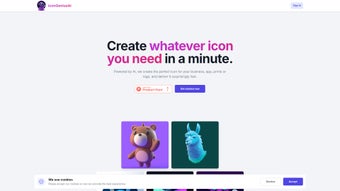
IcongeniusAI is a cloud‑based, AI‑driven graphics tool that lets designers and developers generate high‑resolution icons in seconds. The platform eliminates the repetitive manual work traditionally associated with icon design by interpreting natural‑language prompts and instantly producing a full set of polished assets. Whether you need a sleek flat‑design set for a mobile app or a detailed skeuomorphic collection for a marketing campaign, IcongeniusAI can handle a wide range of visual styles, color schemes, and dimensions up to 1024 × 1024 px.
Its credit‑based pricing model removes the pressure of recurring subscriptions: you buy only the credits you need, and each high‑resolution download consumes a predictable amount of those credits. The service also offers a free trial that includes five low‑resolution previews and one complimentary high‑resolution export, allowing users to test the quality before committing financially. Security is built into the workflow; all data is transmitted over HTTPS, and generated files are stored temporarily unless you explicitly save them to your personal library.
In short, IcongeniusAI provides a fast, secure, and cost‑effective solution for anyone who needs custom icons without the steep learning curve of traditional vector tools.
Key Features That Set IcongeniusAI Apart
- AI‑Generated Icons in Seconds: Type a brief description, pick a style, and receive a set of icons within 30‑60 seconds.
- High‑Resolution Output: Icons are rendered at 1024 × 1024 px, suitable for retina displays, large‑scale branding, and print.
- Customizable Color Palettes: Lock a primary brand color or let the AI suggest complementary hues for a cohesive visual language.
- Multiple Style Presets: Choose from flat, material, line, 3D, hand‑drawn, and more, with the ability to switch styles on the fly.
- Collection Management: Organize icons into named libraries, add version notes, and retrieve assets instantly.
- Credit‑Based Pricing: Purchase credits in bundles (50, 200, 500) and spend only when you download high‑resolution files.
- Secure Cloud Processing: All generation occurs on encrypted servers; no files are permanently stored without user consent.
- Export Formats: Download PNG, SVG, or WebP files, ensuring compatibility with web, iOS, Android, and desktop environments.
- Future API Access: A planned RESTful API will let developers integrate icon generation directly into CI/CD pipelines.
- Responsive Web Interface: Works flawlessly on Windows, macOS, Linux, and mobile browsers without any additional software.
Installation, Setup & Everyday Usage
Getting Started – No Download Required
IcongeniusAI runs entirely in the browser. Visit icongeniusai.com, register with an email or Google OAuth, and you’re ready to generate icons. The onboarding flow takes under a minute, and a short tutorial video walks you through the main dashboard.
Step‑by‑Step Workflow
- Define Your Prompt: In the “Create New Icon” pane, type a concise description such as “a modern, blue cryptocurrency wallet with rounded corners.” The AI parses style, mood, and detail keywords.
- Select a Style: Pick a visual preset—Flat, Material, Line, 3D, or Hand‑Drawn. Each preset applies a unique set of design rules.
- Set Primary Color (Optional): Use the hex picker to lock a brand color; the system will auto‑generate harmonious shades.
- Generate & Review: Click “Generate.” A grid of 4‑6 variations appears within seconds. Hover for a larger preview, and tweak the prompt for refinements.
- Save to Collection: Once satisfied, click “Add to Collection,” assign a descriptive name, and the low‑resolution preview is stored for later reference.
- Purchase Credits & Download: Choose the desired format (PNG, SVG, WebP), confirm the credit deduction, and the high‑resolution file downloads instantly.
Tips for Maximizing Quality
While short prompts work well, adding specific details such as “2 px stroke,” “gradient background,” or “rounded corners” can dramatically improve results. Use synonyms (“tablet” vs. “iPad”) to guide the AI toward the correct context. The “Regenerate” button creates fresh variations without consuming extra credits, allowing rapid iteration before you commit to a purchase. For teams, the “Share Collection” feature lets you invite collaborators to view or edit icon sets, streamlining the review process.
Compatibility, Pros & Cons, and Real‑World Applications
IcongeniusAI works on any modern web browser—Chrome, Edge, Firefox, Safari, or Opera—across Windows 10/11, macOS Ventura or later, popular Linux distributions, and mobile browsers on Android 12+ and iOS 15+. Because it’s cloud‑based, there are no OS‑specific installations, and the interface automatically adapts to high‑DPI displays.
Pros
- Instant generation saves hours compared to manual design.
- Credit‑based pricing offers flexibility for occasional or heavy users.
- High‑resolution exports suitable for print, web, and retina screens.
- Extensive style library ensures brand alignment without extra assets.
- Secure, encrypted processing protects intellectual property.
- Web‑only access eliminates the need for installations or updates.
- Collection management and sharing streamline team collaboration.
Cons
- Requires an active internet connection; offline work is not possible.
- Style options are limited to predefined categories; highly custom artistic directions may need post‑processing.
- Credit system can be confusing for first‑time users without clear cost per download.
- Advanced features like API integration are still on the roadmap.
- Low‑resolution previews are watermarked, which may affect visual evaluation.
Real‑World Use Cases
Design agencies often face tight deadlines when delivering UI kits. With IcongeniusAI, a junior designer can produce a full set of 50+ icons in under two hours, freeing senior staff to focus on strategy and branding. Mobile‑app startups benefit from rapid iteration; changing a primary brand color in the tool instantly updates the entire icon set, guaranteeing consistency across Android and iOS platforms. Marketing teams preparing print brochures can request high‑resolution SVGs that scale without loss, eliminating the need for a separate vector‑editing step. Finally, developers integrating icons into codebases appreciate the ability to download WebP files for optimal web performance, reducing page load times without sacrificing visual fidelity.
Frequently Asked Questions
How does the credit system work?
Each high‑resolution download costs a set number of credits based on the selected file format and resolution. Credits are purchased in bundles (e.g., 50, 200, 500). Credits are deducted only when you confirm a download, so you never pay for preview images.
Can I use the icons commercially?
Yes. All icons generated with IcongeniusAI come with a royalty‑free commercial license, allowing you to embed them in apps, websites, or printed material without additional fees.
What file formats are available for download?
You can download icons as PNG (lossless), SVG (vector), or WebP (optimized for web). The format you choose does not affect the credit cost.
Is there a free tier or trial?
IcongeniusAI offers a free trial that includes five low‑resolution previews and one high‑resolution download (costs 1 credit, which is provided for free upon registration). This lets you evaluate quality before buying credits.
How secure is my data and generated icons?
All communications are encrypted via HTTPS, and generated assets are stored temporarily on secure servers. Icons are only retained in your personal library after you explicitly save them; otherwise they are deleted after the session ends.
Will I receive updates or new styles?
IcongeniusAI is continuously updated. New style presets, additional export formats, and the promised API are rolled out regularly. Existing users receive updates automatically because the service is cloud‑based.
Final Verdict & Call to Action
IcongeniusAI bridges the gap between AI convenience and professional design standards. Its rapid generation engine, high‑resolution output, flexible credit model, and robust security make it an attractive choice for freelancers, startups, and agencies alike. While the reliance on an internet connection and the current limits on fully custom artistic control may be drawbacks for some power users, the overall value—especially when measured against the time saved—far outweighs these minor inconveniences. If you need a fast, secure, and scalable solution for creating custom icons, give IcongeniusAI a try today.



.png)



